
Global
''标签解析异常!
A network-related or instance-specific error occurred while establishing a connection to SQL Server. The server was not found or was not accessible. Verify that the instance name is correct and that SQL Server is configured to allow remote connections. (provider: Named Pipes Provider, error: 40 - Could not open a connection to SQL Server)
at System.Data.ProviderBase.DbConnectionPool.TryGetConnection(DbConnection owningObject, UInt32 waitForMultipleObjectsTimeout, Boolean allowCreate, Boolean onlyOneCheckConnection, DbConnectionOptions userOptions, DbConnectionInternal& connection) at System.Data.ProviderBase.DbConnectionPool.TryGetConnection(DbConnection owningObject, TaskCompletionSource`1 retry, DbConnectionOptions userOptions, DbConnectionInternal& connection) at System.Data.ProviderBase.DbConnectionFactory.TryGetConnection(DbConnection owningConnection, TaskCompletionSource`1 retry, DbConnectionOptions userOptions, DbConnectionInternal oldConnection, DbConnectionInternal& connection) at System.Data.ProviderBase.DbConnectionInternal.TryOpenConnectionInternal(DbConnection outerConnection, DbConnectionFactory connectionFactory, TaskCompletionSource`1 retry, DbConnectionOptions userOptions) at System.Data.ProviderBase.DbConnectionClosed.TryOpenConnection(DbConnection outerConnection, DbConnectionFactory connectionFactory, TaskCompletionSource`1 retry, DbConnectionOptions userOptions) at System.Data.SqlClient.SqlConnection.TryOpenInner(TaskCompletionSource`1 retry) at System.Data.SqlClient.SqlConnection.TryOpen(TaskCompletionSource`1 retry) at System.Data.SqlClient.SqlConnection.Open() at Whir.Repository.Database.OpenSharedConnection() at Whir.Repository.Database.ExecuteScalar[T](String sql, Object[] args) at Whir.Service.DbBase`1.ExecuteScalar[T](String sql, Object[] paras) in E:\chenxz\05.ezEIP\ezEipV5.0\tags\V5.3.0(0649)\Whir.Service\DbBase.cs:line 168 at Whir.Label.Dynamic.column.GetColumnInfo() in E:\chenxz\05.ezEIP\ezEipV5.0\tags\V5.3.0(0649)\Whir.Label\Dynamic\column.cs:line 116 at Whir.Label.Dynamic.column.Render(HtmlTextWriter output) in E:\chenxz\05.ezEIP\ezEipV5.0\tags\V5.3.0(0649)\Whir.Label\Dynamic\column.cs:line 67
Enquiry
全面兼容,高清呈现
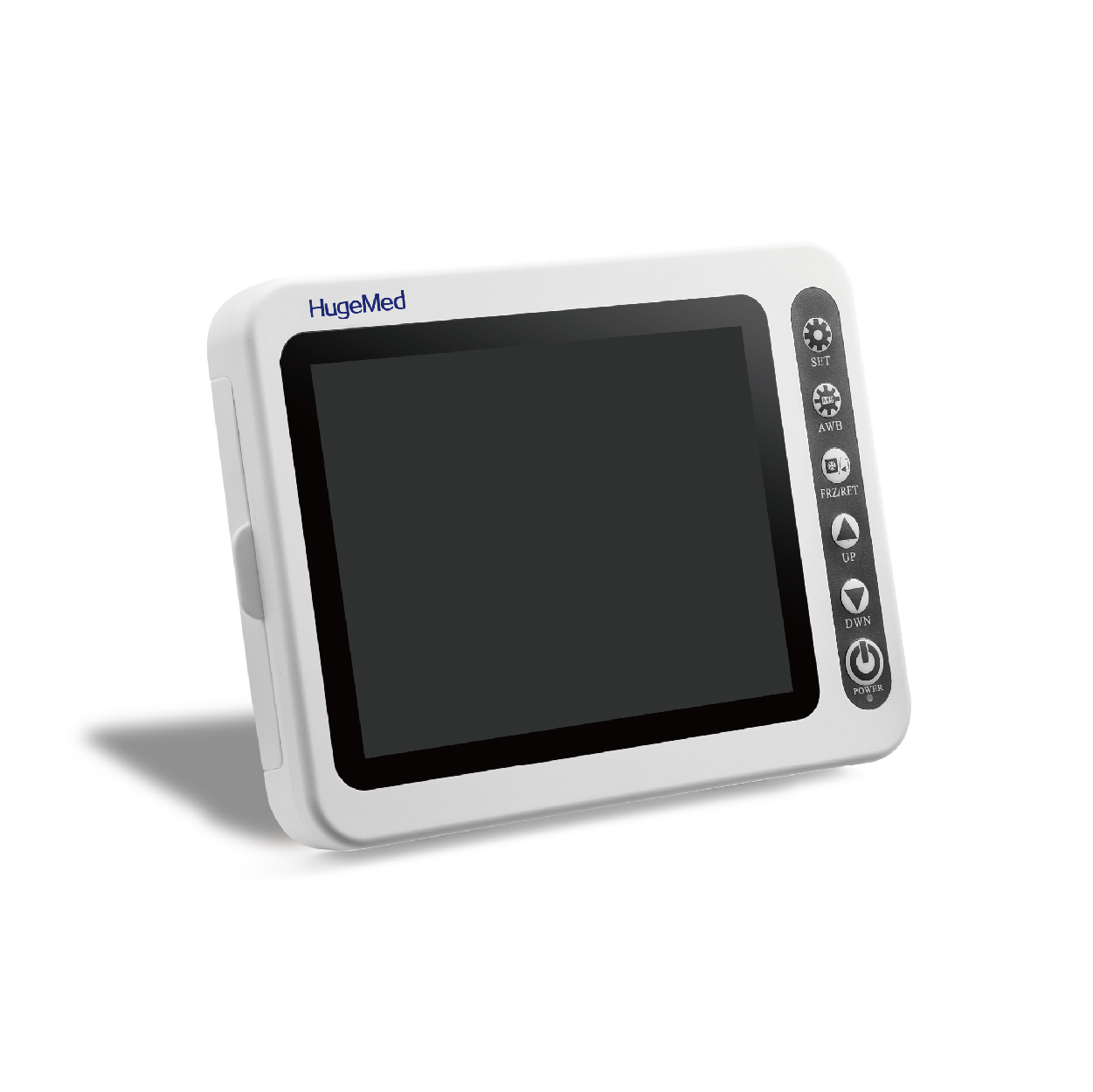
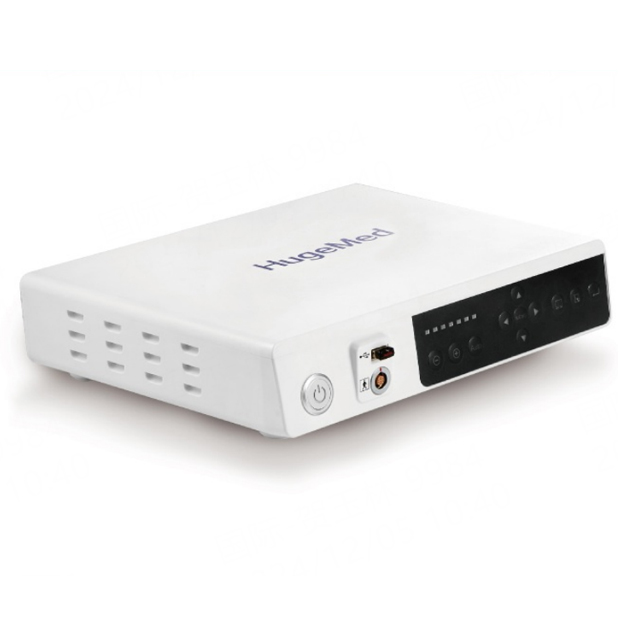
MS-8 是一款15.6英寸触控屏与处理器集成一体、全面兼容宏济医疗各种产品的医用内窥镜图像处理器。它可以让麻醉科、呼吸科、耳鼻喉科、外科和泌尿科的内窥镜诊疗、手术变得更方便直观。
智能便携,尽享高效
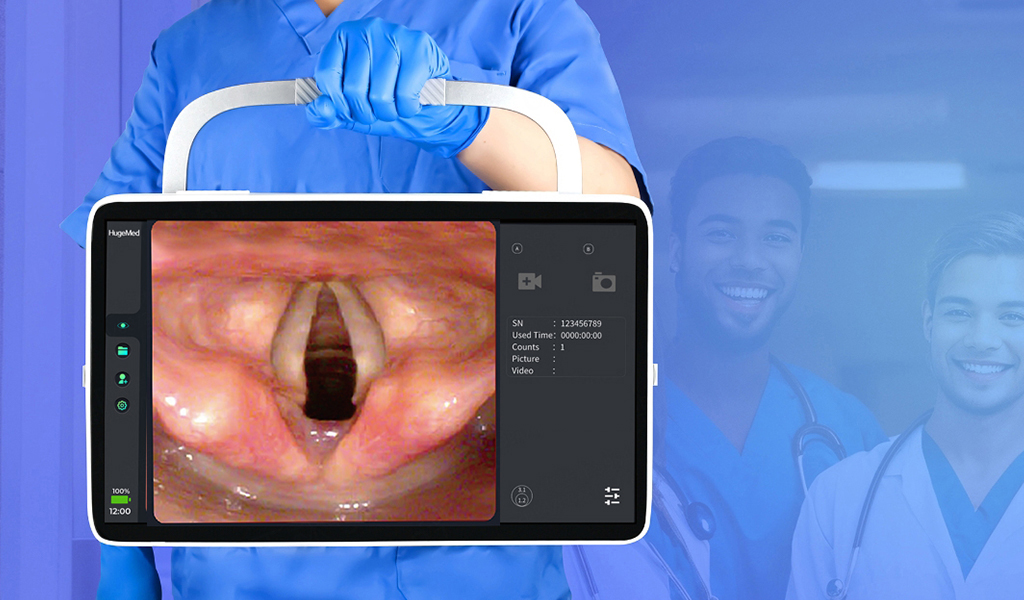
MS-8的15.6寸触摸屏让用户操作更直观便捷、软件系统支持双屏显示和生成诊断报告、紧凑的结构便于医生携带,能有效提升医护人员的工作效率。
直观,共享,降低运营成本
MS-8采用屏幕与处理器一体化设计,能搭配宏济的各类喉镜、软镜直接使用,可放置于台面或悬挂于支架使用,适用于多场景、多科室的应用。设备兼容性的提升能让医院实现资源的灵活调配,从而有效降低运营成本。
高清成像,精准保障
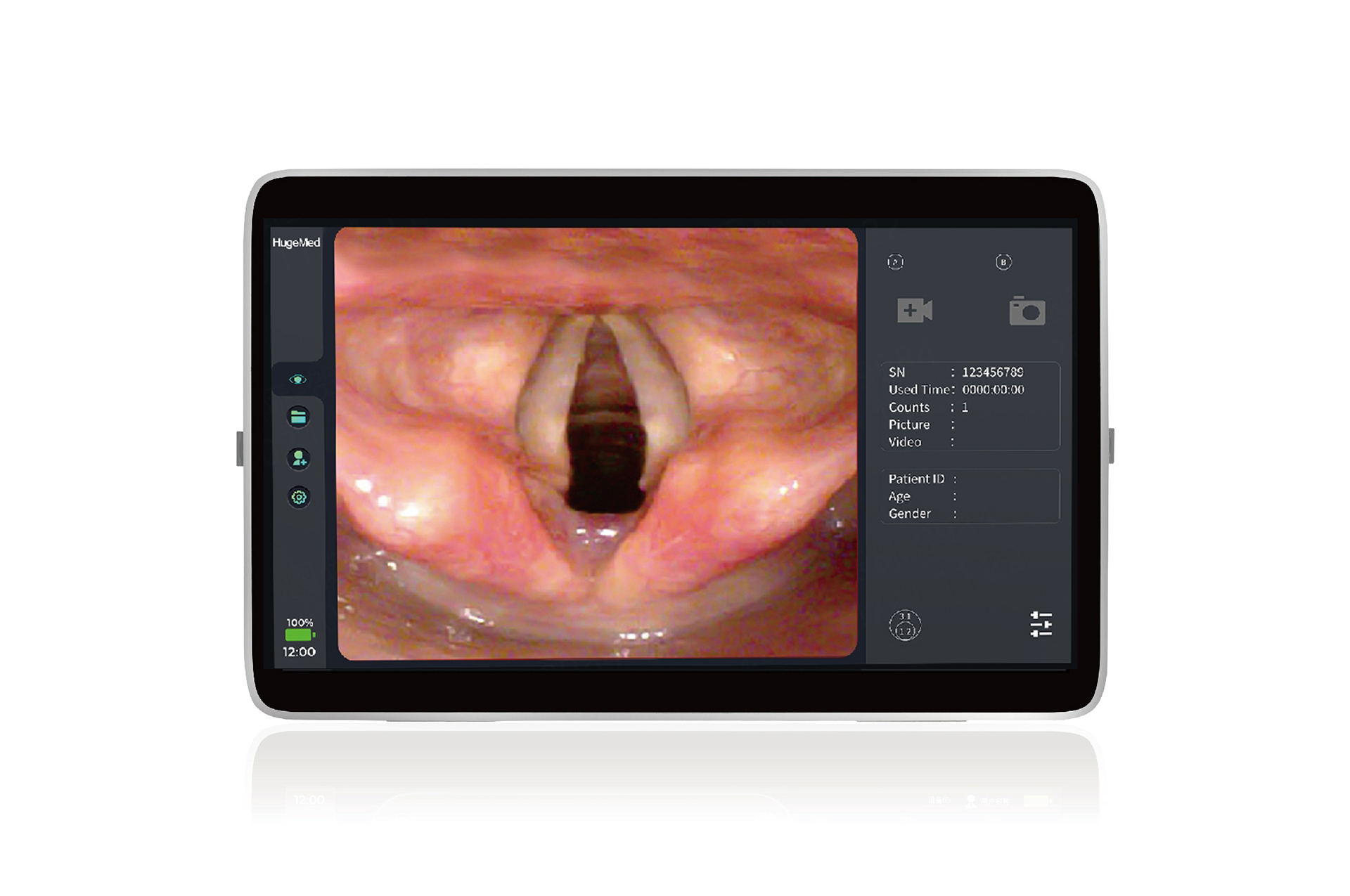
15.6寸大屏的分辨率可达1920x1080 像素,能提供高质量的成像和出色的色彩保真度。出色的显示能为内窥镜诊疗提供更精准的保障。


主要优势

一体化设计

MS-8采用屏幕与处理器一体化设计,操作更直观,携带更方便。

高清触控屏幕

MS-8配备触控屏,让用户操作更便捷;15.6寸屏幕的分辨率可达1920x1080 像素,可供手术室无需连接显示屏直接使用。

全面兼容

可与深圳宏济医疗的各类麻醉视频喉镜、软镜适配。

双屏显示

处理器可同时为麻醉视频喉镜和其他软镜提供实时视图,提高急诊室/手术室的工作效率。

信息管理

操作者可直接在屏幕上编辑医疗记录,生成诊断报告。

置标出错:A network-related or instance-specific error occurred while establishing a connection to SQL Server. The server was not found or was not accessible. Verify that the instance name is correct and that SQL Server is configured to allow remote connections. (provider: Named Pipes Provider, error: 40 - Could not open a connection to SQL Server)
''标签解析异常!
A network-related or instance-specific error occurred while establishing a connection to SQL Server. The server was not found or was not accessible. Verify that the instance name is correct and that SQL Server is configured to allow remote connections. (provider: Named Pipes Provider, error: 40 - Could not open a connection to SQL Server)
at System.Data.ProviderBase.DbConnectionPool.TryGetConnection(DbConnection owningObject, UInt32 waitForMultipleObjectsTimeout, Boolean allowCreate, Boolean onlyOneCheckConnection, DbConnectionOptions userOptions, DbConnectionInternal& connection) at System.Data.ProviderBase.DbConnectionPool.TryGetConnection(DbConnection owningObject, TaskCompletionSource`1 retry, DbConnectionOptions userOptions, DbConnectionInternal& connection) at System.Data.ProviderBase.DbConnectionFactory.TryGetConnection(DbConnection owningConnection, TaskCompletionSource`1 retry, DbConnectionOptions userOptions, DbConnectionInternal oldConnection, DbConnectionInternal& connection) at System.Data.ProviderBase.DbConnectionInternal.TryOpenConnectionInternal(DbConnection outerConnection, DbConnectionFactory connectionFactory, TaskCompletionSource`1 retry, DbConnectionOptions userOptions) at System.Data.ProviderBase.DbConnectionClosed.TryOpenConnection(DbConnection outerConnection, DbConnectionFactory connectionFactory, TaskCompletionSource`1 retry, DbConnectionOptions userOptions) at System.Data.SqlClient.SqlConnection.TryOpenInner(TaskCompletionSource`1 retry) at System.Data.SqlClient.SqlConnection.TryOpen(TaskCompletionSource`1 retry) at System.Data.SqlClient.SqlConnection.Open() at Whir.Repository.Database.OpenSharedConnection() at Whir.Repository.Database.ExecuteScalar[T](String sql, Object[] args) at Whir.Service.DbBase`1.ExecuteScalar[T](String sql, Object[] paras) in E:\chenxz\05.ezEIP\ezEipV5.0\tags\V5.3.0(0649)\Whir.Service\DbBase.cs:line 168 at Whir.Label.Dynamic.column.GetColumnInfo() in E:\chenxz\05.ezEIP\ezEipV5.0\tags\V5.3.0(0649)\Whir.Label\Dynamic\column.cs:line 116 at Whir.Label.Dynamic.column.Render(HtmlTextWriter output) in E:\chenxz\05.ezEIP\ezEipV5.0\tags\V5.3.0(0649)\Whir.Label\Dynamic\column.cs:line 67
置标出错:''标签解析异常!
A network-related or instance-specific error occurred while establishing a connection to SQL Server. The server was not found or was not accessible. Verify that the instance name is correct and that SQL Server is configured to allow remote connections. (provider: Named Pipes Provider, error: 40 - Could not open a connection to SQL Server)
at System.Data.ProviderBase.DbConnectionPool.TryGetConnection(DbConnection owningObject, UInt32 waitForMultipleObjectsTimeout, Boolean allowCreate, Boolean onlyOneCheckConnection, DbConnectionOptions userOptions, DbConnectionInternal& connection)
at System.Data.ProviderBase.DbConnectionPool.TryGetConnection(DbConnection owningObject, TaskCompletionSource`1 retry, DbConnectionOptions userOptions, DbConnectionInternal& connection)
at System.Data.ProviderBase.DbConnectionFactory.TryGetConnection(DbConnection owningConnection, TaskCompletionSource`1 retry, DbConnectionOptions userOptions, DbConnectionInternal oldConnection, DbConnectionInternal& connection)
at System.Data.ProviderBase.DbConnectionInternal.TryOpenConnectionInternal(DbConnection outerConnection, DbConnectionFactory connectionFactory, TaskCompletionSource`1 retry, DbConnectionOptions userOptions)
at System.Data.ProviderBase.DbConnectionClosed.TryOpenConnection(DbConnection outerConnection, DbConnectionFactory connectionFactory, TaskCompletionSource`1 retry, DbConnectionOptions userOptions)
at System.Data.SqlClient.SqlConnection.TryOpenInner(TaskCompletionSource`1 retry)
at System.Data.SqlClient.SqlConnection.TryOpen(TaskCompletionSource`1 retry)
at System.Data.SqlClient.SqlConnection.Open()
at Whir.Repository.Database.OpenSharedConnection()
at Whir.Repository.Database.ExecuteScalar[T](String sql, Object[] args)
at Whir.Label.Dynamic.Category.GetLabelData(List`1& itemplateList) in E:\chenxz\05.ezEIP\ezEipV5.0\tags\V5.3.0(0649)\Whir.Label\Dynamic\Category.cs:line 156
at whir_system_UserControl_LabelControl_Category.Bind() in c:\webhosting\data\Whir_System\UserControl\LabelControl\Category.ascx.cs:line 126
相关产品
置标出错:A network-related or instance-specific error occurred while establishing a connection to SQL Server. The server was not found or was not accessible. Verify that the instance name is correct and that SQL Server is configured to allow remote connections. (provider: Named Pipes Provider, error: 40 - Could not open a connection to SQL Server) 置标出错:A network-related or instance-specific error occurred while establishing a connection to SQL Server. The server was not found or was not accessible. Verify that the instance name is correct and that SQL Server is configured to allow remote connections. (provider: Named Pipes Provider, error: 40 - Could not open a connection to SQL Server)
置标出错:A network-related or instance-specific error occurred while establishing a connection to SQL Server. The server was not found or was not accessible. Verify that the instance name is correct and that SQL Server is configured to allow remote connections. (provider: Named Pipes Provider, error: 40 - Could not open a connection to SQL Server)